
Medical Alert QR Tags: A 2026 Guide for Caregivers
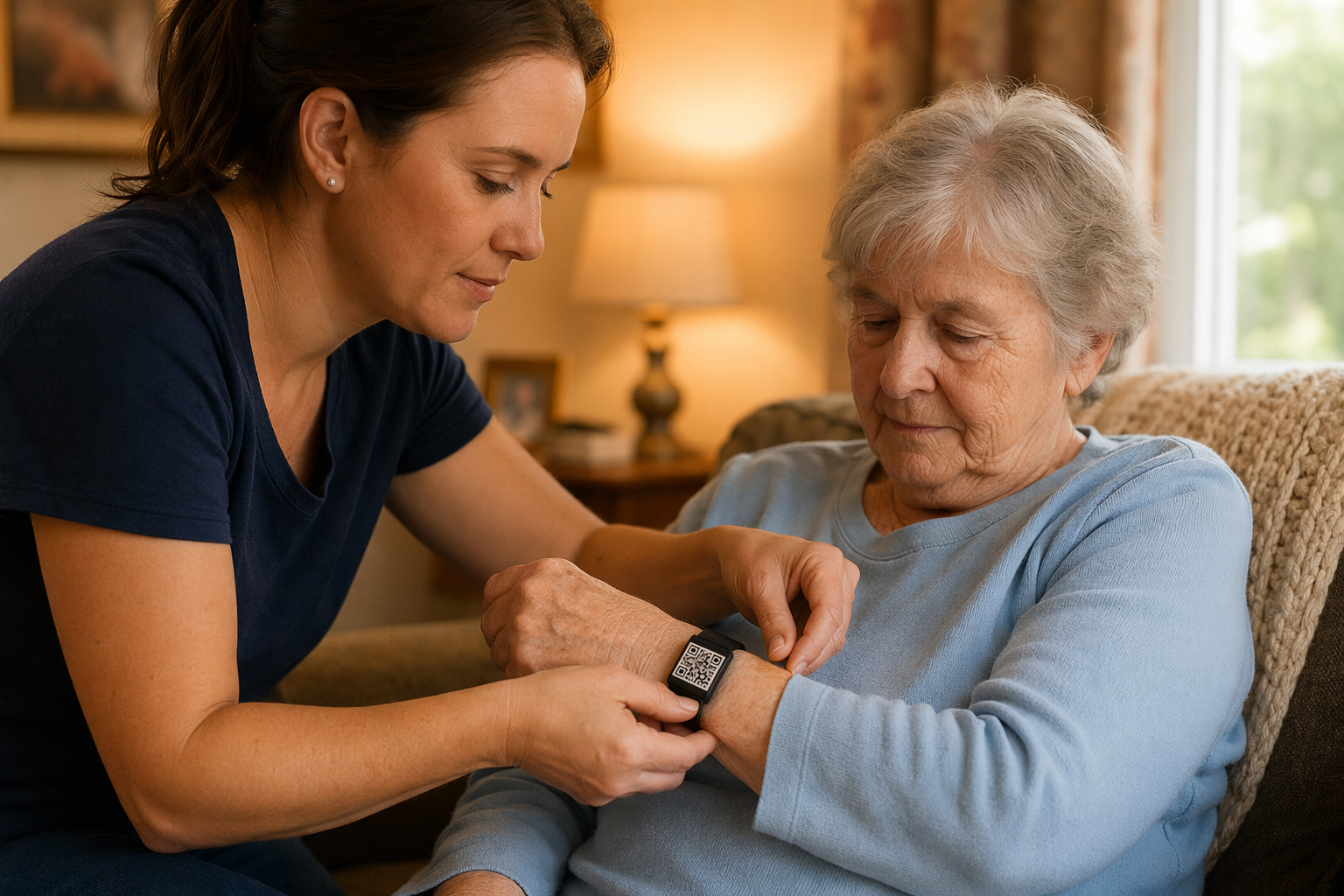
Caring for a child with severe allergies, a parent with dementia, a partner with epilepsy, a sibling with autism — caregiving comes with a quiet permanent worry: "if something happens when I’m not there, will the people around them know what to do?"
A free QR medical alert tag is the smallest, calmest tool we know to address that worry. This guide is the practical how-to: what to put on the visible card, what to put behind paramedic mode, which tag format works for which person, and how to think about privacy.
The two-layer principle
A medical alert tag should be readable by a stranger, but it shouldn’t shout the person’s diagnosis to the world. Tagback splits the card into two layers:
Visible layer (anyone who scans)
- First name, photo, one-line plain-language instruction
- "Call trusted contact" button — number is masked, finder gets a one-tap relay call
- "Send message" button — for non-urgent situations
Emergency layer ("Paramedic mode")
- Full medical record: conditions, medications, allergies, blood type
- Emergency-services preference: e.g. "do not call ambulance unless seizure exceeds 5 minutes"
- Hospital of choice with chart access (where applicable)
- Power-of-attorney details if relevant
When someone opens paramedic mode, you get a notification with the location and time. This way you know the medical info was actually used in an emergency, not casually browsed.
What to write — by condition
Severe food allergy (anaphylaxis)
Visible: "I have a life-threatening allergy. EpiPen in left front pocket. Use it."
Emergency layer: full allergen list, dose, hospital chart link, family contact priority.
Type 1 diabetes
Visible: "Type 1 diabetic. If I’m unresponsive, look for sugar/glucagon in my bag."
Emergency layer: insulin pump model, current basal/bolus, emergency contact, endocrinologist.
Epilepsy
Visible: "I have epilepsy. If I’m having a seizure, do NOT put anything in my mouth. Time it. Call 911 if it exceeds 5 minutes."
Emergency layer: medication list (anticonvulsants), neurologist, recent seizure pattern.
Autism (non-verbal or limited verbal)
Visible: "I have autism. I may not respond verbally but I understand you. Please call my parent."
Emergency layer: communication preferences (AAC app, gestures, calm phrases), sensory triggers, support team contacts.
Dementia / Alzheimer’s
Visible: "If you found me, please call my daughter. Thank you."
Emergency layer: diagnosis, medications, current home address (only after verification), behavioural calm-down strategies.
See: dedicated dementia tag setup.
Cardiac condition (pacemaker, AED needed)
Visible: "Pacemaker patient. AED safe."
Emergency layer: pacemaker model and serial, cardiologist, current medications.
Tag format by person
For children
- Iron-on label on inner clothing tag (school uniform, jacket lining)
- Silicon bracelet with QR plate — colourful, looks like a fun fitness band
- Backpack tag sewn to inner pocket
For adults
- Wallet card behind the ID — most-used by adults
- Discreet metal bracelet with engraved QR (looks like a watch)
- Phone-case sticker — paramedic-friendly, you typically have phone with you
- Necklace pendant with QR (medical-pendant style)
For seniors
- Iron-on jacket lining — invisible, can’t be removed without scissors
- Wallet card behind ID — second chance
- Watch back sticker if they wear one daily
Privacy in detail
Tagback stores only what you enter, encrypted at rest. The data is yours; you delete it any time. We never sell or share medical info. We are GDPR-compliant.
For provider-issued IDs (where a hospital owns and prescribes the tag), HIPAA-compliant deployment is available — contact our team. For most family use, the standard privacy controls (visible/emergency layer split) are sufficient.
What to do today
- Open the dashboard and create a tag → "Person."
- Fill in the medical fields. The form takes ~5 minutes.
- Decide which fields go on the visible vs emergency layer (the dashboard prompts for each).
- Pick a format: iron-on, bracelet, wallet card, etc. Print or order.
- Test it: scan with another phone, walk through the finder card with a family member.
The smallest tag. The biggest peace of mind. For more on specific scenarios, see the dementia setup, kids during travel, or the People hub.
FAQ
Are paramedics actually trained to look for QR medical tags?+
Increasingly yes — several EMS systems in the US and EU added "look for QR/digital ID" to their patient assessment protocols in 2023–2024. Even where they’re not trained for it, the QR is recognised by sight and any first responder can scan with a phone in 2 seconds.
What about traditional metal medical-alert bracelets?+
They still work, especially the engraved emergency-info ones. The QR is complementary — it holds far more info, can be updated, and is multilingual. Many people wear both: the metal bracelet for instant visibility, the QR for the full record.
Can I make this anonymous? My family member doesn’t want their condition advertised.+
Yes. The visible side of the Tagback card can show only "If found, please call <family>" with no medical info. The medical layer unlocks only when "Paramedic mode" is invoked, and the family is notified when it’s opened.
Does this replace MedicAlert or RoadID?+
It complements them. MedicAlert holds your record at their call centre; QR shows it instantly to anyone with a phone. Many users link a Tagback QR to their MedicAlert ID for redundancy.
Start protecting what matters
Tagback is free, forever. No subscription. No app needed for finders.
Create your free tag