
AirTag Alternatives for Android: The Honest 2026 Comparison
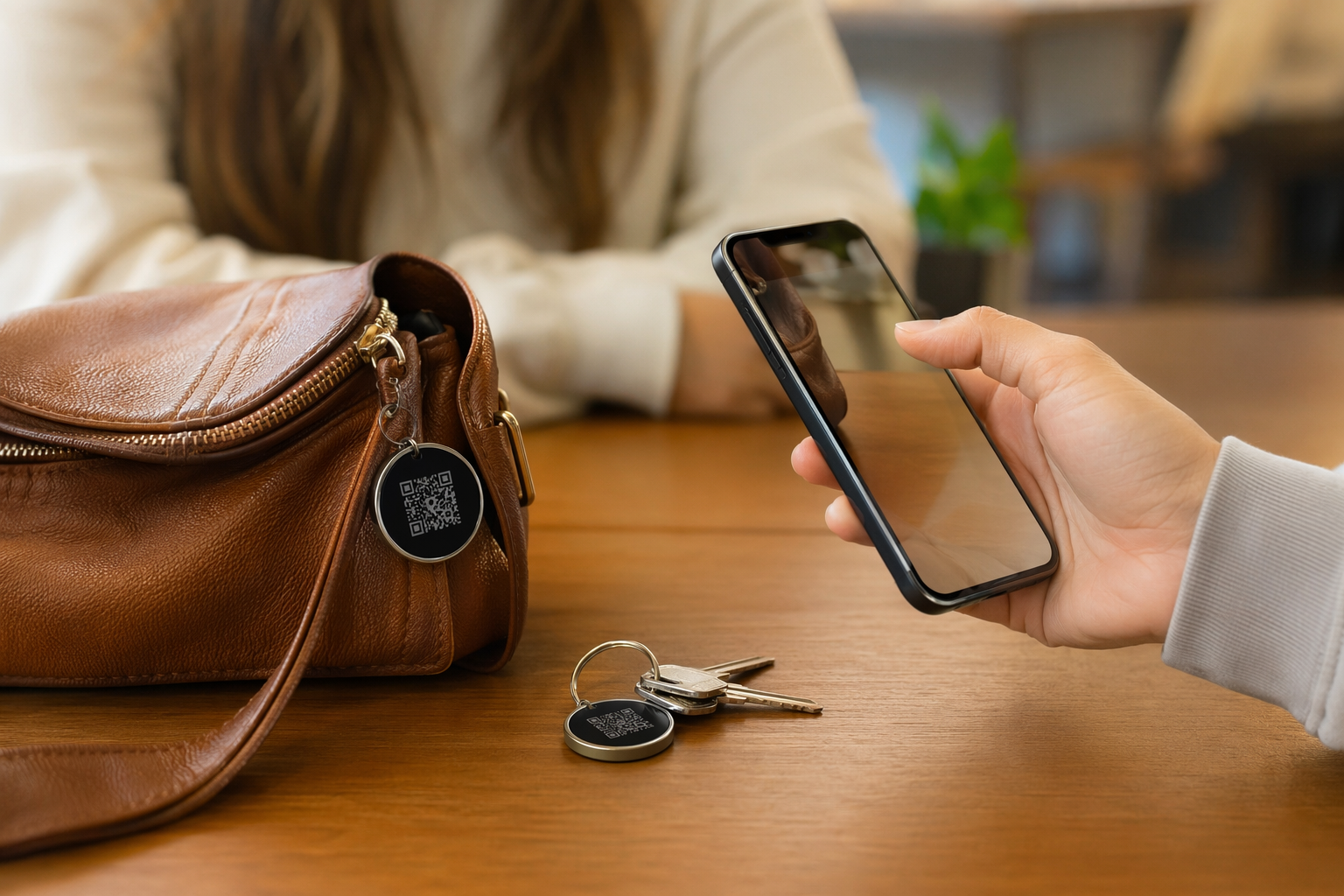
AirTag is genuinely good hardware. But it is designed for iPhone users, and if you are on Android, it is essentially useless as a tracking device. So what do you actually use instead? This article walks through every real option available in 2026 — Bluetooth trackers, GPS tags, and QR-based contact tags — with honest pros and cons for each. No affiliate rankings. No "best of" fluff. Just what works and what the tradeoffs actually are.
Why AirTag Doesn't Work on Android
AirTag relies on Apple's Find My network — a mesh of hundreds of millions of iPhones that silently relay location data back to Apple's servers. Android phones are not part of this network, and Apple has not opened it to third-party devices. There is an AirTag NFC tap feature that allows any NFC-capable phone (including Android) to read a lost-mode tag, but that only works if someone finds your item and actively taps it. You cannot use the Find My app, you cannot see real-time location, and you cannot receive proximity alerts. For an Android user, AirTag is not a viable item tracker — it is a one-way notification system that depends entirely on a stranger with an iPhone happening to walk past your lost item.
Option 1 — Tile (Mate, Slim, Sticker)
Tile was the original Bluetooth item tracker and still has one of the largest cross-platform networks available. The Tile app works on both Android and iOS, and any Tile user's phone can relay the location of your tag when it comes within Bluetooth range. The Tile Mate is the standard coin-shaped tracker. The Tile Slim fits inside a wallet. The Tile Sticker is adhesive and designed for remotes, laptops, and awkward surfaces.
- Works on Android natively. First-class Android app, no workarounds needed.
- Large network. Tens of millions of Tile users means decent urban coverage.
- Multiple form factors. Mate, Slim, Sticker cover most use cases.
- Subscription required for key features. Smart Alerts, location history, and free battery replacements are behind a Tile Premium paywall (~$30/year).
- Network smaller than Apple's. Find My has a 2–3× larger passive network in most cities. Outside dense urban areas, Tile range drops off noticeably.
- Tile was acquired by Life360, which has a mixed privacy track record. Worth reading the privacy policy if that matters to you.
Tile is a solid choice if you are in a city and willing to pay for Premium. It is the closest like-for-like AirTag alternative for Android users.
Option 2 — Samsung SmartTag2
Samsung's SmartTag2 is a well-built tracker with a long battery life (claimed up to 6 months) and both Bluetooth and UWB support on compatible Samsung devices. It integrates tightly with Samsung's SmartThings Find network, which has grown substantially since launch.
- Excellent for Samsung Galaxy users. UWB precision finding gives you directional arrows to the tag — similar to AirTag's precision mode on iPhone.
- Long battery life. A coin cell that actually lasts months, not weeks.
- Loud ring. Easy to locate a tag that's under cushions or in a bag.
- Samsung ecosystem lock-in. Full features require a Samsung Galaxy phone. Non-Samsung Android phones get basic Bluetooth range but lose UWB precision and some SmartThings features.
- Smaller passive network than Tile. SmartThings Find only uses Samsung devices, which narrows the network outside of Samsung-heavy markets.
- Not cross-platform at all. No iOS app. If your household is mixed-device, this tag is effectively yours alone.
If you use a Samsung Galaxy phone, the SmartTag2 is the closest Android equivalent to AirTag in terms of hardware quality and precision tracking. If you are on a non-Samsung Android device, skip it.
Option 3 — Chipolo ONE
Chipolo makes a small range of Bluetooth trackers with a focus on simplicity. The Chipolo ONE works with both Android and iOS, has a user-replaceable CR2032 battery, and is notably loud — rated at 120 dB, which is louder than most competitors. There is also a Chipolo ONE Point variant designed to work within the Google Find My Device network.
- Replaceable battery. Swap a standard CR2032 rather than buying a new tag when the battery dies.
- Loud ring. 120 dB makes it genuinely useful for finding items around the house.
- Works on Android and iOS. No ecosystem lock-in.
- Smaller passive network. Chipolo's community network is noticeably smaller than Tile or Apple. In lower-density areas, passive finding is unreliable.
- No UWB precision mode. You get Bluetooth proximity, not directional arrows.
- Basic app. The Chipolo app is functional but thin on features compared to Tile or SmartThings.
Chipolo is a good pick if you mostly need a loud ring to find items at home, or if replaceable batteries are important to you. It is not the right choice if you need reliable passive finding in suburban or rural areas.
Option 4 — Google Find My Device Tags (2025+)
Google launched its Find My Device network in 2024 and opened it to third-party tracker manufacturers in 2025. The network uses Android phones as relays — and with Android having more than 3 billion active devices globally, the potential network size is enormous. In practice, the rollout has been uneven. Chipolo ONE Point, Pebblebee, and a handful of other manufacturers now make Google Find My Device-compatible tags.
- Built into Android. No separate app required — tracking works through the Google Find My Device app that ships with modern Android phones.
- Massive potential network. Android's install base means passive finding could eventually rival or exceed Apple's.
- Still maturing. As of early 2026, the network coverage and reliability is inconsistent outside major metro areas. It is improving, but it is not yet at Tile's reliability level.
- Limited hardware choices. Fewer compatible tags on the market compared to Apple's MFi ecosystem.
- Privacy design is solid. Google's implementation uses rotating identifiers and end-to-end encryption, similar to Apple's approach.
Google Find My Device tags are worth watching. If you are buying a tracker in mid-to-late 2026 and want a Bluetooth tracker on Android, check whether network coverage has improved in your region before choosing Tile or Chipolo instead.
Option 5 — QR Tags (No Battery, No Subscription, Universal)
QR tags are a fundamentally different category. They do not use Bluetooth or GPS. There is no battery to die, no app to pair, no subscription to maintain. A QR tag works like this: you attach it to your item, someone finds the item, they scan the QR code with any phone camera, and they are shown a contact page where they can message you anonymously. You get notified, you reply, you arrange to get your item back.
This is not a location tracker. It does not tell you where your item is right now. What it does is dramatically increase the chance that an honest finder can reach you — which is how most lost items actually get returned. If you lose a bag at an airport, a Bluetooth tracker might show you it is in a different terminal. A QR tag means the person who finds it can contact you in seconds, without needing an iPhone, a specific app, or any technical knowledge at all.
- No battery. Works for years with zero maintenance.
- No subscription. One-time purchase, no recurring costs.
- Universal. Any phone with a camera can scan it — Android, iPhone, older smartphones.
- Relies on finder honesty. If someone finds your item and ignores it, a QR tag cannot track them. It is not a GPS device.
- Best use cases. Luggage, keys, backpacks, water bottles, pet collars, wallets, cameras, tools — anything where a finder might reasonably want to return it.
- Works alongside Bluetooth trackers. Many people combine both — a Tile or Chipolo for active searching, a QR tag so any finder can contact them.
Tagback is in this category. Each Tagback tag has a unique QR code linked to an anonymous contact page. When someone scans it, you get an instant notification and can chat with the finder without sharing your phone number or email. It works on every Android and iOS device, and there is no subscription required.
Which Should You Choose? A Practical Decision Table
The right tracker depends entirely on what you are trying to do. Here is a straightforward breakdown:
- I need real-time location tracking (e.g. a car or high-value equipment). None of these Bluetooth tags do real-time GPS. You need a dedicated GPS tracker with a SIM card and data plan. Bluetooth tags and QR tags are not substitutes for this.
- I want Bluetooth passive finding on Android and I use a Samsung Galaxy. Samsung SmartTag2. Full stop.
- I want Bluetooth passive finding on any Android phone. Tile (Mate or Slim) or a Google Find My Device-compatible tag (Chipolo ONE Point or Pebblebee). Check Google network coverage in your area first.
- I mainly lose things at home and want a loud ring. Chipolo ONE. Cheap, replaceable battery, extremely loud.
- I have no battery budget and want something maintenance-free. QR tag (Tagback or similar). Zero upkeep, works forever.
- I want to cover all bases on luggage or a backpack. Combine a Tile or Chipolo with a Tagback QR tag. The Bluetooth tag helps you narrow down location if it stays connected. The QR tag means any finder can reach you instantly, no matter what.
- I have a pet collar. A QR tag is safer than a Bluetooth tracker on a collar — no battery to die, lighter weight, and a finder can call you immediately. Supplement with a microchip for permanent ID.
There is no single "best" option. Bluetooth trackers and QR tags solve different problems. A Bluetooth tracker helps you find something when it is nearby or when it passes through a dense network. A QR tag helps a finder contact you when they already have the item in hand. For most people, especially those traveling or sending luggage on flights, both together is the most practical setup — and the combined cost is still less than a single AirTag.
The Bottom Line
AirTag is not available to Android users in any meaningful sense. The real alternatives in 2026 are Tile for broad Android compatibility, Samsung SmartTag2 for Galaxy users who want precision finding, Chipolo for simplicity and replaceable batteries, and Google Find My Device tags if the network has matured enough in your area. QR tags like Tagback are not replacements for Bluetooth trackers — they are a different layer of protection, and they are the only option that requires zero maintenance, zero battery, and works on literally any phone. For most Android users who want practical lost-item recovery, combining a Bluetooth tracker with a QR tag gives better coverage than either alone.
FAQ
Can I use AirTag with Android?+
Not as a tracker. AirTag relies on the Apple Find My network, which Android phones cannot join. If your AirTag is in Lost Mode, an Android user can tap it with NFC to see your contact info — but you cannot track, locate, or receive proximity alerts from an AirTag on an Android phone.
What is the best item tracker for Android in 2026?+
It depends on your phone. Samsung Galaxy users get the best experience with the Samsung SmartTag2. On any other Android phone, Tile Mate or a Google Find My Device-compatible tag (like Chipolo ONE Point) are the strongest options. If you want zero maintenance and universal compatibility, a QR tag like Tagback works on every phone with no battery or subscription.
Is Tile or Samsung SmartTag2 better for Android?+
SmartTag2 is better if you use a Samsung Galaxy phone — you get UWB precision finding and tighter integration. Tile is better for all other Android phones because SmartTag2's full feature set is Samsung-only. Tile also works with iOS, so it is the better choice for mixed-device households.
Do QR tags work if someone doesn't have the app?+
Yes. QR tags like Tagback open a web page in any phone browser when scanned — no app download required. The finder sees your contact page and can message you anonymously. This works on any Android or iOS device with a camera, including older phones that cannot run modern tracking apps.
Start protecting what matters
Tagback is free, forever. No subscription. No app needed for finders.
Create your free tag