
How to Check a Pet Microchip — A Guide for Finders and Owners
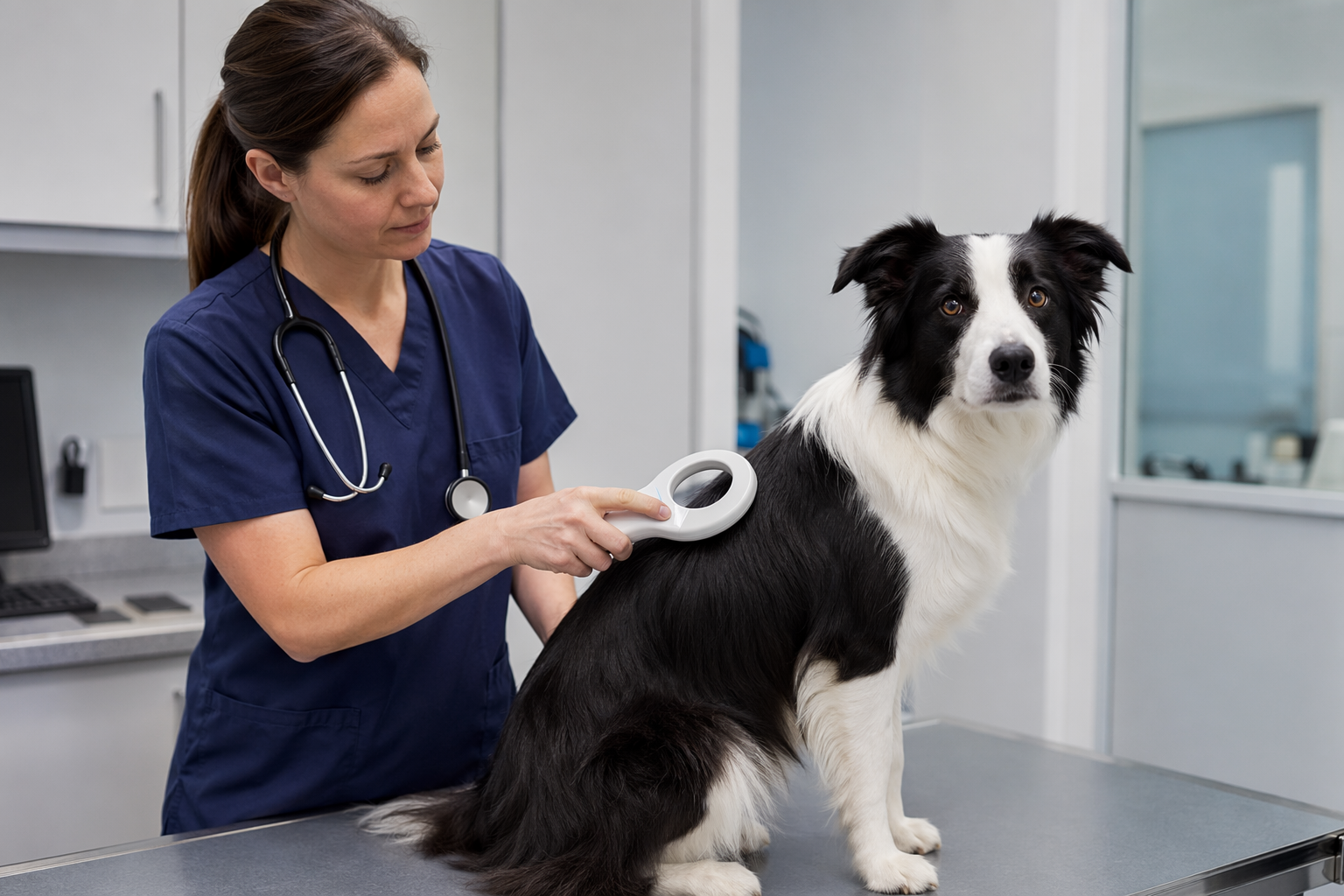
A pet microchip is only useful if it's registered — and registration rates are surprisingly low. Studies suggest fewer than half of chipped pets are entered into a searchable database. The chip itself is permanent; the link between that chip number and a phone number is not. Here's everything you need to know, whether you've just found a stray or you're trying to verify your own pet's registration.
If you found a pet — where to go to get it scanned
Microchips are passive RFID chips — they have no battery and emit no signal on their own. To read one you need a scanner that emits a low-frequency radio pulse and reads the chip's response. That scanner is not something most people own, but you have several free options:
- Any vet clinic. This is the most reliable option. Walk in, explain you found the pet, and ask for a free scan. The vast majority of clinics will do this at no charge with no appointment needed.
- Animal control officers. Municipal animal control carries universal scanners as part of their standard kit. If you call them about a found animal, scanning for a chip is one of the first things they'll do.
- Pet stores. Petco and PetSmart locations in the US offer free microchip scanning at many of their stores. Call ahead to confirm your local branch has a scanner.
- Animal shelters. Most shelters scan every incoming animal automatically. Bringing the pet to a shelter is a last resort for housing, but scanning is available immediately on arrival.
Bring the pet in a secure carrier or on a lead. Even a calm animal can bolt in an unfamiliar space.
What the scanner actually shows — just a number
This is the part that surprises most people. A microchip scanner does not display an owner's name, phone number, or address. It displays a chip ID number only — typically 10 or 15 digits. That number is the key; it links to a registry where the contact information is stored (if the chip was ever registered).
Write the number down exactly as it appears, including any leading zeros. You will need it for the next step.
How to look up a microchip number
The US has multiple independent microchip registries and they do not automatically share data with each other. The fastest way to search all of them at once is the AAHA Universal Pet Microchip Lookup at petmicrochiplookup.org. Enter the chip number and it queries the major databases simultaneously.
The major US registries you may also need to contact directly:
- HomeAgain (homeagain.com) — one of the largest US registries, operated by Merck Animal Health
- AKC Reunite (akcreunite.org) — operated by the American Kennel Club, open to all pets not just purebreds
- 24PetWatch (24petwatch.com) — Canadian-founded, widely used across North America
- Petlink (petlink.net) — uses Datamars chips and has a large US database
- Found Animals (foundanimals.org/adopt/microchip-registry) — free to register, no annual fee
Outside the US, the primary international lookup tool is Animal-ID.net and country-specific databases (Petlog in the UK, Europetnet in the EU). If the chip number starts with 956, 981, 985, 900, or 982 it may be registered in a non-US database.
The registration problem — why lookup sometimes returns nothing
You've scanned the pet, you have the chip number, you've searched every database — and nothing comes back. This is more common than it should be, and it almost always comes down to one thing: the owner never completed registration.
Here's what typically happens:
- Owner takes the pet to the vet for routine vaccination.
- Vet offers microchipping for a one-time fee (~$45–$70). Owner says yes.
- Vet implants the chip and hands over a card or receipt with the chip number.
- Owner means to register online later. Life gets busy. They never do.
- The chip exists physically, but it points to no one in any database.
Some vets register the chip on the owner's behalf as part of the service — but many do not, and the follow-through falls entirely on the owner. This is the single biggest failure point in the entire microchip system.
If a lookup returns nothing, it does not mean the pet has no owner. It means the owner never registered, or registered in a database the lookup tool didn't reach. Try the AAHA lookup first, then try each major registry individually. You can also ask the vet who scanned the chip if they can identify the chip manufacturer from the number format — that may point to the correct registry.
If you own a pet — how to verify your chip is registered
Don't assume your pet's chip is registered just because you paid for the implant. Verify it right now:
- Find your chip number. Check the paperwork from when your pet was chipped — a card, certificate, or receipt. If you've lost it, your vet can scan the chip and give you the number.
- Go to petmicrochiplookup.org and enter the number. No account needed.
- If your pet's details appear: confirm the contact info is current. Old address? Old phone number? Log in to the registry and update it now.
- If nothing comes back: register immediately. Found Animals offers free lifetime registration. HomeAgain, AKC Reunite, and 24PetWatch offer premium plans ($15–$25/year) that include 24/7 lost-pet support lines and proactive alerts.
- Consider registering in more than one database. There is no single mandatory US registry. Registering in two costs less than a takeaway coffee and doubles the chance of being found.
Update your registration — moved house or changed number?
A chip with outdated contact information is nearly as useless as an unregistered chip. According to HomeAgain, a significant portion of their database has contact details that haven't been updated since the chip was first registered. If you have moved, changed your phone number, or changed your email address since registering:
- Log in to the registry where you registered (check your original confirmation email).
- Update your address, primary phone number, and at least one backup contact.
- If you cannot remember which registry you used, search petmicrochiplookup.org with your chip number — the result will show which database it's in.
- If you registered on paper at the vet clinic years ago, call the clinic and ask which registry they use.
Set a calendar reminder to re-check your details every time you move or change your phone number.
Microchip vs QR collar tag — why you need both
A microchip is a permanent identifier that requires a scanner, a vet or shelter, and a searchable registry to be useful. That chain works — but it takes time, and it depends entirely on the finder taking the pet somewhere with a scanner.
The reality of most found-pet stories: a neighbour picks up the dog in their garden at 9pm. No vets are open. They don't know if animal control operates overnight. So the dog sleeps in the neighbour's garage while the owner is frantic. A QR collar tag (Tagback) collapses that gap entirely. The neighbour scans the tag with their phone camera — no app, no scanner — and a message goes directly to the owner in under 30 seconds.
- Microchip = last-resort permanent ID. Works when the collar is lost and the pet ends up at a vet or shelter. Essential, but slow.
- QR collar tag = first-minute tool. Works the moment any stranger with a smartphone finds your pet — before they reach a vet, before they call anyone. Free, instant, and works everywhere.
Both together give you redundancy across every realistic lost-pet scenario. For the full comparison, see Microchip vs QR collar tag — why you need both.
ISO chip standards for international travel
If you travel internationally with your pet — particularly to EU countries — the chip standard matters.
- ISO 11784/11785 standard: 15-digit chip, required for an EU pet passport. This is the international standard and the one used across Europe, Australia, and most of the world.
- US chips: Many older US chips are 10-digit chips using a different frequency (125 kHz). These may not be readable by ISO-standard scanners used in other countries.
- Before international travel: Ask your vet whether your pet's chip is ISO-compliant. If it's not, the options are to implant a second ISO chip (both chips coexist safely), or in some cases the 10-digit chip will still be readable if the destination country uses a universal scanner.
- EU pet passport: Requires an ISO-compliant chip, an up-to-date rabies vaccination administered after the chip was implanted, and a health certificate issued by an accredited vet within 10 days of travel.
- UK (post-Brexit): Requires the same ISO standard chip plus its own Animal Health Certificate (AHC) replacing the EU pet passport. The AHC must be issued within 10 days of each trip.
Check international requirements at least 4 months before travel — rabies titre testing (required for entry into some countries, including Japan, Australia, and Hawaii) must be done a minimum of 3 months before the travel date.
FAQ
Where can I scan a pet microchip for free?+
Any vet clinic will scan a found pet for free or a nominal fee — walk in and explain you found the animal. Most Petco and PetSmart locations in the US also offer free scanning. Animal control officers and animal shelters scan every animal that comes through their door as standard practice. You do not need to make an appointment for a scan at most of these locations.
Why does the microchip lookup show no results?+
The most common reason is that the chip was never registered by the owner. The implant creates the chip; registration is a separate step done online that links the chip number to contact information. Many owners intend to register but never do. A blank result can also mean the chip is registered in a database the lookup tool didn't reach — try searching the major registries (HomeAgain, AKC Reunite, 24PetWatch, Petlink) individually. A blank result does not mean the pet has no owner.
How do I register my pet's microchip?+
Go to petmicrochiplookup.org and enter your chip number to see if it's already registered and in which database. If it's not registered, Found Animals (foundanimals.org) offers free lifetime registration. HomeAgain, AKC Reunite, and 24PetWatch all offer registration for $15–$25/year and include additional services like 24/7 lost-pet hotlines. You'll need your chip number — check your vet paperwork, or ask your vet to scan your pet and give you the number.
Do I need to register my pet's microchip in every country?+
Not every country, but you do need to make sure your chip is readable internationally. The EU, UK, Australia, and most countries outside North America require an ISO 11784/11785 standard 15-digit chip for official identification and pet travel documentation. Many older US chips are 10-digit non-ISO chips that may not be readable by standard international scanners. Ask your vet whether your pet's chip is ISO-compliant before any international travel, and check the entry requirements for your specific destination at least 4 months in advance.
Start protecting what matters
Tagback is free, forever. No subscription. No app needed for finders.
Create your free tag