
Lost Wireless Headphones? A Practical Guide by Brand
Wireless headphones are expensive — often $150 to $400 — and they are extremely easy to misplace. Unlike a wallet or phone, most models have no built-in tracking. You set them down, forget where, and the next morning they're just gone. This guide covers what actually works, brand by brand, and what to do when the technology runs out.
Samsung Galaxy Buds — SmartThings Find My Earbuds
Samsung Galaxy Buds have the best tracking feature of any non-Apple wireless earbuds. The SmartThings app includes a Find My Earbuds function that plays a loud beeping sound through the earbuds — useful when they're somewhere nearby but out of sight. Newer Galaxy Buds models (Galaxy Buds2 Pro, Buds3 Pro, and later) also participate in the Galaxy SmartTag network, which means other Samsung phones can anonymously report the location of your earbuds even when they're offline and out of your Bluetooth range.
- Open the SmartThings app on your Samsung phone and tap the Devices tab.
- Select your Galaxy Buds from the device list. If they don't appear, make sure they were previously connected to this phone.
- Tap Find My Earbuds. You'll see options to make the left earbud, right earbud, or both ring simultaneously. The sound plays at maximum volume.
- Check last location. If the earbuds are offline, the app shows a map with the last known location — tap it to get directions.
- Galaxy Find network (offline). If your Buds support SmartTag-style location, you may see an updated location even when out of Bluetooth range, reported anonymously by another Samsung device that passed nearby.
One important caveat: Find My Earbuds only plays sound while the earbuds are outside the case and have battery remaining. If they're in a closed case, no sound plays. Try triggering the sound anyway — a thin case may still let some audio through, and it will work the moment someone opens the lid.
Sony WF / WH Headphones — No Official Find Feature
Sony does not offer a dedicated find-my feature for its headphones or earbuds — this includes the WF-1000XM5, WH-1000XM5, WF-C700N, and the full WH and WF range. There is no sound-playing function and no tracking network. What you do have is the Sony Headphones Connect app, which logs the last Bluetooth connection.
- Check Sony Headphones Connect. The app does not show a map, but it tells you the last device your headphones were paired to and roughly when. Cross-reference this with your phone's location history (Google Maps Timeline on Android, or Significant Locations in iPhone Settings → Privacy) to pinpoint where you were at that time.
- Check your phone's Bluetooth log. On Android, Settings → Connected Devices → Bluetooth → your headphones' connection history gives you the last paired time.
- Retrace your steps from that timestamp. Where were you when the connection dropped? That's your highest-probability search area.
- Lost WH headphones (over-ear). These are larger and more distinctive — ask venue staff with a physical description. They're rarely pocketed accidentally.
Sony's premium headphones are a recurring request on user forums for a find feature. As of 2026, Sony has not added one to any WF or WH model. If you own Sony headphones, prevention is more important than recovery — see the QR section below.
Bose QuietComfort and Sport Earbuds — Check Last Sync
Bose headphones and earbuds — including the QuietComfort Ultra Earbuds, QuietComfort 45, and Sport Earbuds — have no find-my feature. The Bose Connect app and newer Bose Music app do not include a play-sound or location function of any kind.
- Use your phone's location history. Since Bose doesn't log location, your own phone's history is the only data source. Check Google Maps Timeline or iPhone Significant Locations for where you were when the Bluetooth connection last showed activity.
- Check the app's last sync time. The Bose Music app shows the last time your device synced. That timestamp narrows down when and roughly where you had them.
- Systematic physical search. Bose QuietComfort over-ear headphones are large enough to not fit in pockets — if they're missing, they're likely on a surface, under something, or left at a venue. Narrow locations are your friend.
- Contact venue lost and found. Bose headphones are visually distinctive and high-value. Staff are more likely to have set them aside safely.
Beats — Find My Works on Many Models
Beats is owned by Apple and several Beats models support Apple's Find My network — the same system used by AirPods. If your Beats headphones support Find My, open the Find My app on your iPhone, tap Devices, and look for your Beats in the list. You can see their last known location and trigger a sound remotely.
The models that currently support Find My include:
- Beats Fit Pro — full Find My support, including sound and location.
- Beats Studio Buds+ — Find My supported.
- Beats Studio Pro — Find My supported.
- Powerbeats Pro (2nd gen, 2024) — Find My supported.
- Beats Flex, older Powerbeats Pro (1st gen), Beats Solo3, Studio3 — Find My is not supported on these older models.
To confirm whether your specific Beats model supports Find My: open Settings → Bluetooth on your iPhone, tap the info icon next to your Beats, and check if a Find My option appears. If it does, your model is supported. If the option is absent, your model relies on the same manual search strategy as Sony and Bose.
Jabra, Anker, and Other Brands — No Tracking Built In
Most other wireless headphone brands — including Jabra (Evolve, Elite, Engage series), Anker (Soundcore range), Skullcandy, JBL, Sennheiser, and Audio-Technica — offer no built-in find or tracking feature. You're working from scratch when something goes missing.
Two practical add-on approaches work for these brands:
- Tile tracker on the case. A Tile Mate or Tile Slim can be attached to a carrying case with an adhesive pad or slim pocket. When paired with the Tile app, it alerts you if you walk away without the case and lets you make it ring from your phone — as long as it's in Bluetooth range.
- Samsung SmartTag2 (for Android users). If you use a Samsung phone, a SmartTag2 inside or attached to the case taps into the Galaxy Find network — much wider range than standalone Bluetooth.
- QR sticker on the case (see below). The most universally applicable option that doesn't depend on Bluetooth range or network coverage.
- Bookmark your phone's location history. Get into the habit of checking your Google Maps Timeline or iPhone Significant Locations right after you lose something. The fresher the data, the more granular the location log.
Manual Search Strategy — Work Through These in Order
When tracking technology reaches its limit, a systematic physical search recovers more headphones than most people expect. Work through these locations in order rather than searching randomly.
- Gym bag outer pockets and side compartments. Headphone cases fit perfectly in the smaller external pockets that get zipped shut and forgotten. Check every compartment.
- Charging spots. Did you plug in your phone at a desk, airport gate, café, or hotel room? Headphone cases are frequently left right next to where phones were charged.
- Coat pockets and jacket linings. Especially from the last few days — not just the coat you're wearing now. Check the coat you wore to the gym, the office, and anywhere you used them.
- Library, café, and co-working seats. On the desk surface, on the chair seat, on a windowsill, or in the seat pocket behind a laptop bag.
- Airplane seat pocket. One of the most common public-place losses. If you recently flew, call the airline — seat pockets are checked after every flight and found items are logged.
- Gym locker and locker room. Left on the bench, on top of a locker, or inside a locker that wasn't fully cleared.
- Car: under seats, door pockets, the gap between seat and console. Especially if you listen while driving or as a passenger.
Lost in a Public Place — What to Do Immediately
If you believe your headphones were left at a specific venue, acting quickly makes a significant difference. The first few hours are critical — items found by staff are often kept at the desk temporarily before being formally logged, and your prompt follow-up signals that you're serious.
- Call the venue first. Phone before going in person if you're not nearby. Give a clear description: brand, model name, colour, case colour and style, any stickers or distinguishing marks.
- Go in person if you can. In-person visits are taken more seriously. Ask to speak to whoever was working in the area — reception, gym floor staff, café counter, gate agents.
- Ask about cleaning staff. Items are often found by cleaners before management and may be held separately. Specifically ask if cleaning found anything.
- Leave your contact details. Name, phone number, and a photo if you have one. Follow up the next day and the day after — items surface as areas are fully cleaned.
- File an airline property irregularity report. For in-flight losses, file a report at the airline's lost and found desk before leaving the airport. Seat pocket items are usually collected and logged within hours of the flight landing.
QR Sticker on the Case — The One Thing That Works When Everything Else Fails
Every tracking system described above has the same fundamental weakness: it only works if you're the one looking. Bluetooth requires proximity. Network trackers require coverage. Find My requires an Apple device to pass by. None of them work when a stranger picks up your headphone case at a café table, drops it into lost and found, or takes it to a transport office.
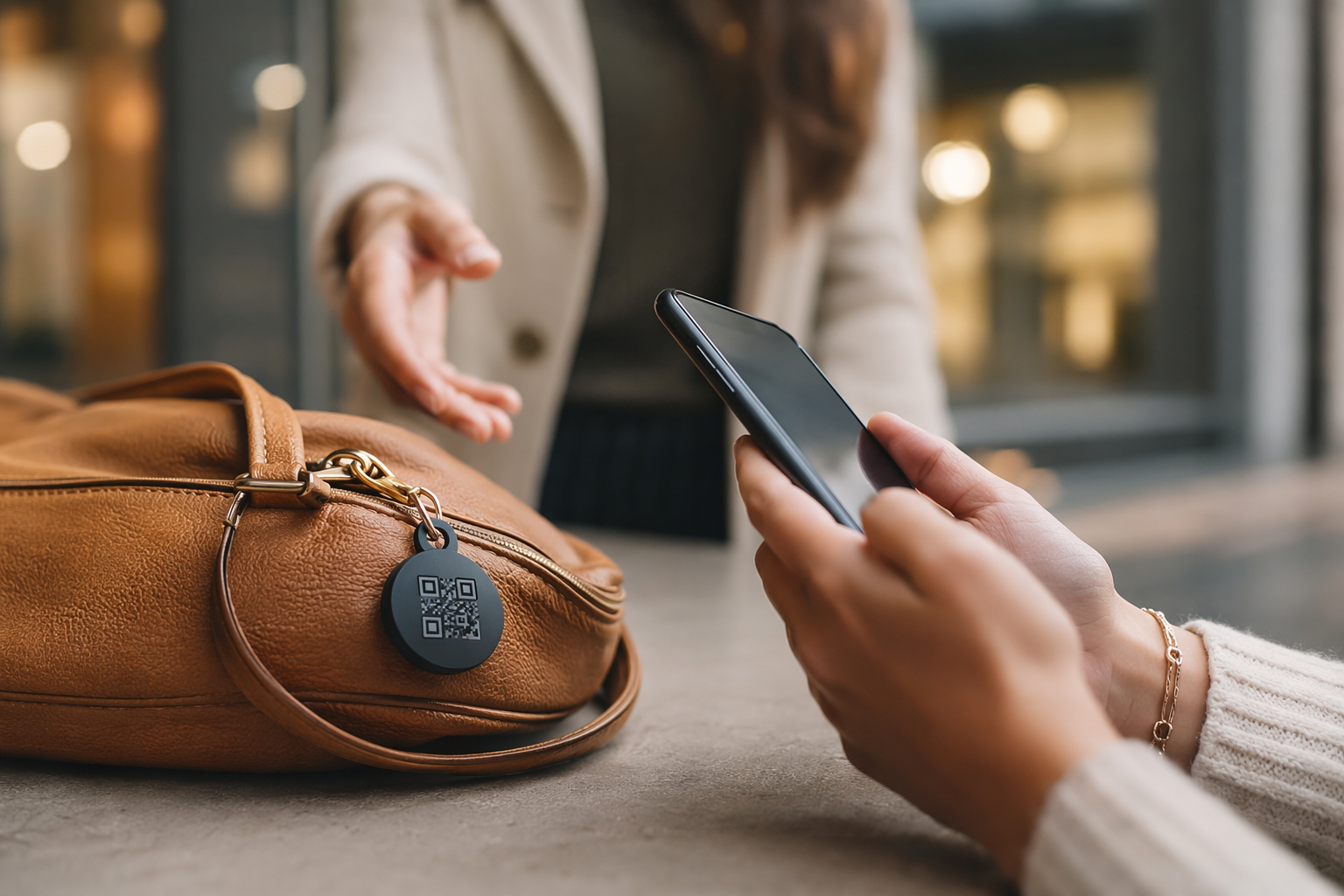
A Tagback QR sticker on the outside of your headphone case solves this problem. When someone finds your case, they scan the QR code with any phone — no app, no account, no friction. They see a contact page and can send you a message instantly. Your phone buzzes with the notification. That's the entire interaction. No personal information is exposed to the finder.
Wireless headphone cases — Sony, Bose, Samsung, Jabra — are smooth, rounded, and take a small circular or rectangular sticker cleanly. The sticker survives bag friction and daily handling. At $200 to $400 replacement cost, the value calculation is simple.
Replacement Cost vs. Effort — When to Stop Looking
There's a point at which continued searching costs more in time and stress than a replacement. Here's a practical framework:
- Search seriously for 48 hours. Most recoveries happen in the first 48 hours — after that, the probability drops sharply unless someone actively contacts you.
- File with lost and found and check back once. Leave your details, follow up after 72 hours, then move on if nothing surfaces.
- Check refurbished and factory outlet options. Sony, Bose, Samsung, and Beats all sell certified refurbished headphones through their official outlets — typically 20–40% cheaper than retail. Quality is manufacturer-guaranteed.
- Consider the use-case before replacing like-for-like. If the lost headphones were premium noise-cancelling and you only used them for commuting, a mid-tier replacement at half the price may genuinely be the better choice.
- Buy a sticker before you buy new headphones. It costs a few pounds. Put it on whatever case you use next, before you need it.
FAQ
How do I find my Samsung Galaxy Buds?+
Open the SmartThings app on your Samsung phone, tap Devices, select your Galaxy Buds, and tap Find My Earbuds. This plays a loud sound through whichever earbuds are outside the case and have battery. Newer Galaxy Buds models also support the Galaxy Find network, which can show a last known location even when the earbuds are out of your Bluetooth range, using data from nearby Samsung devices.
Do Sony headphones have a find feature?+
No. Sony WF and WH headphones — including the WF-1000XM5 and WH-1000XM5 — have no built-in find or play-sound feature as of 2026. The Sony Headphones Connect app does not include location tracking. Your best approach is to check your phone's location history (Google Maps Timeline or iPhone Significant Locations) to find where you were when the Bluetooth connection last dropped, then search that area.
Can I track my Bose earbuds?+
Bose does not offer any tracking or find-my feature in its app for QuietComfort or Sport earbuds. The Bose Music app shows the last sync time, which you can cross-reference with your phone's location history to estimate where you had them. For recovery in public places, contact the venue's lost and found directly — Bose headphones are distinctive and high-value enough that staff typically set them aside.
What if I lost my headphones at the gym?+
Go to the front desk and ask directly — describe the brand, model, and case colour. Also ask if cleaning staff found anything, as they often collect items before they reach the main lost and found. Leave your contact details and follow up the next day. If your headphone case has a QR sticker (like Tagback), anyone who finds it can contact you instantly without needing to identify the brand or track down the owner.
Start protecting what matters
Tagback is free, forever. No subscription. No app needed for finders.
Create your free tag