
NFC Pet Tag vs QR Code Tag: A Practical Comparison for Pet Owners
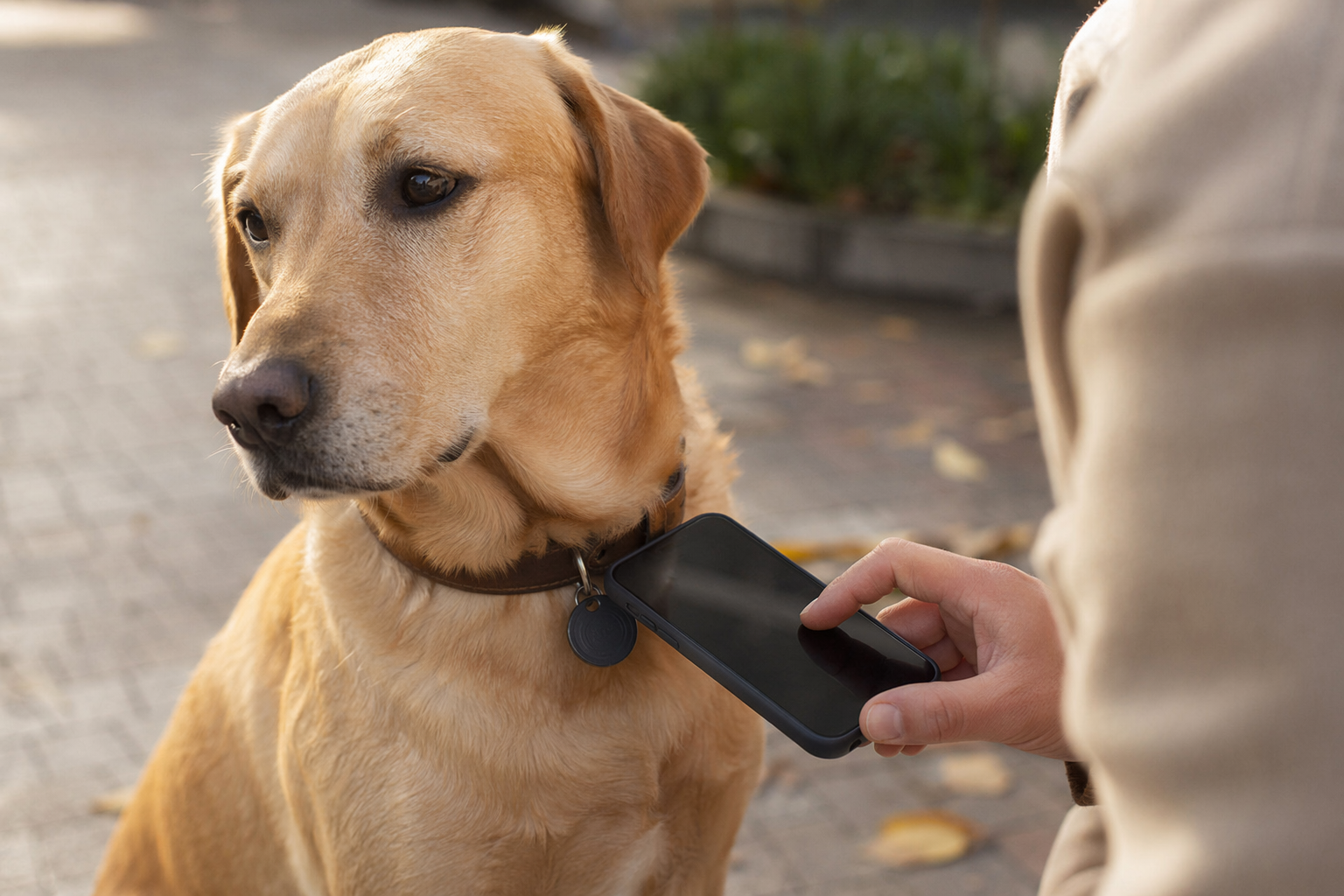
Both NFC and QR code pet tags rely on a smartphone to do their job — a finder holds up their phone, your pet's profile appears, and they know how to reach you. That shared premise makes them sound interchangeable. They aren't. The difference is subtle but it matters enormously in the one scenario that actually counts: a stranger finds your dog on the street and has ten seconds to figure out what to do.
This article explains exactly how each technology works, where each one falls short, and which combination gives your pet the best chance of coming home.
How QR Codes Work for Pet Tags
A QR code is a printed or etched pattern of black and white squares. When a smartphone camera points at it, the phone recognizes the pattern instantly and displays a link — no app download, no special mode to enable. The user taps that link, and the browser opens your pet's profile page.
That profile can hold your dog's name and photo, your phone number as a tap-to-call link, a secondary contact, medical information, microchip number, and a map showing exactly where the scan happened. Everything updates remotely — the tag stays the same, but the profile behind it reflects your current life.
- Works on any smartphone with a camera app. iPhones since iOS 11 (iPhone 6s, 2015), Android since roughly 2017 with native camera scanning. Even many older Android devices with a QR reader app installed will work.
- Scannable from a distance. A well-sized QR code reads reliably from 15–30 cm away. The finder does not need to touch the tag, fumble with a setting, or know what NFC is.
- Visible and self-explanatory. The code is printed on the tag. Anyone who has ever ordered at a restaurant in the last five years has scanned a QR code. The action is now culturally universal.
How NFC Works for Pet Tags
NFC (Near Field Communication) is a short-range wireless standard. A tiny chip embedded invisibly inside the tag stores a URL. When a compatible phone is held 1–2 cm from the tag, the phone reads the chip and opens that URL in the browser — similar to how contactless payments work.
There is no visible code on the surface. The tag looks like a plain disc. From the user's perspective, they tap their phone to the tag and a page opens — assuming they know that's what they're supposed to do.
- Requires physical proximity. The phone must be within 1–2 cm of the chip. Not 5 cm. Not across the room. Contact-close.
- Requires NFC to be enabled. On most modern phones NFC is on by default, but it can be turned off in settings. The finder may not know whether their NFC is active.
- No visual prompt. There is nothing on a plain NFC tag to tell a finder what to do. Unless they already know that tapping a phone to a tag does something, they will not try it.
Key Differences Between NFC and QR Pet Tags
Here is how the two technologies compare across the dimensions that matter for pet ID:
| Feature | QR Code Tag | NFC Tag |
|---|---|---|
| Phone required | Any smartphone with camera (2015+) | NFC-enabled phone only |
| Scanning distance | 15–30 cm | 1–2 cm (near-contact) |
| User knowledge required | Point camera at code | Know to tap phone to tag |
| Visible indicator | Yes — printed code | No — invisible chip |
| Works if finder is confused | Usually — camera UI is familiar | Rarely — tapping is not intuitive |
| Tag size constraints | Needs readable code area (≥2 cm²) | Chip can be tiny, any shape |
| Durability concern | Scratches can obscure code | Metal surfaces can block chip |
| Speed for experienced users | 2–3 seconds | 1–2 seconds |
Which Phones Support NFC?
NFC is common on modern smartphones but not universal, and compatibility with passive NFC tags (the type used in pet tags) has its own requirements.
- Android: Most mid-range and flagship Android phones have included NFC since around 2015. Budget devices, especially in emerging markets, frequently omit it even today. Android reads NFC tags natively — no app required on modern versions.
- iPhone: iPhones have had NFC hardware since the iPhone 6 (2014), but Apple restricted its use to Apple Pay until iOS 13 (2019) and background tag reading (without opening an app) until iOS 14 on iPhone 7+. Today, iPhone 7 and later running iOS 14+ will read NFC tags automatically when the screen is on.
- Older or budget phones: A significant portion of found-dog scenarios involve phones that are 4–6 years old or entry-level models. These are far more likely to support QR scanning than NFC tag reading.
In practical terms: if you need everyone to be able to read your pet's tag, you cannot rely on NFC alone.
The Real-World Finder Scenario
This is the scenario that matters. A stranger finds your dog wandering on the street. They want to help. They have a phone. They have maybe 30 seconds of patience before a bus arrives or a meeting starts.
With a QR tag: they see a square code on the tag. Their brain recognizes it — they've scanned hundreds of QR codes for menus, tickets, and adverts. They open their camera, point it at the tag, tap the link. Your profile loads in under five seconds. They call you.
With an NFC-only tag: they see a plain metal disc. There is no visual cue. They do not know they need to tap their phone to it. Even if they do know, they need to hold their phone in exactly the right spot, NFC must be enabled, and they need an NFC-capable device. Most people will give up and take the dog to a shelter instead.
This is not a hypothetical edge case. It is the central practical difference between NFC and QR for pet identification. QR wins at the finder interface because the finder does not need to know anything in advance.
Combination Tags: NFC and QR Together
Some pet tags include both a QR code and an embedded NFC chip. This is the best-of-both-worlds option and is worth seeking out.
The QR code handles the finder scenario — visible, scannable, universally understood. The NFC chip adds a faster tap interaction for people who know how to use it, and gives you a clean fallback if the QR code becomes scratched or dirty over time.
- For finders: They scan the QR code. They almost certainly will not know or try the NFC chip.
- For you: You can tap your phone to the tag to quickly pull up your pet's profile without hunting for the QR code visually.
- Cost premium: Combination tags cost slightly more — typically $5–10 above a QR-only tag — but the added redundancy is worth it.
Which Should You Choose?
The recommendation is clear:
- Choose QR if you want maximum finder compatibility. Any smartphone from the last 7+ years can scan it. Any finder can do it without knowing what NFC is. The QR code is your pet's primary rescue mechanism.
- Choose NFC + QR if you also want convenience for yourself. Tapping your phone to pull up your pet's profile is genuinely faster than hunting for a QR code visually. If combination tags are available for your preferred tag style, they are worth the small premium.
- Do not choose NFC-only. An NFC-only tag without a QR code is a pet ID tag designed around technology-savvy users — not around the full range of people who might find your dog. That is the wrong design priority for a safety product.
Tagback pet tags use QR codes as their primary scan mechanism — optimized for instant readability by any finder, on any phone, anywhere. Some Tagback-compatible tags also include an NFC chip for dual-mode scanning.
Tag Durability: How Each Technology Holds Up
Durability plays out differently for QR and NFC, and knowing the failure modes helps you choose the right tag material.
- QR codes are vulnerable to surface damage. A QR code that is 30% obscured by scratches or mud may still scan using error correction. One that is 50% or more obscured typically will not. Tag material matters enormously: laser-etched stainless steel holds up for years; printed plastic QR codes fade in months under collar friction and sunlight. Always choose laser-etched or deep-engraved QR codes over printed ones.
- NFC chips are resilient to most environmental damage. The chip and antenna inside a well-made NFC tag can survive submersion, mud, and temperature extremes that would destroy a printed QR code. However, the chip transmits via a tiny antenna loop — if that antenna is placed directly against a metal collar or metal tag body, it can be detuned and stop working entirely. NFC tags are not ideal on fully metal collar hardware without a spacer.
- Combined durability verdict: A laser-etched QR code on quality stainless steel outlasts most NFC chip implementations in daily collar use. If you want NFC, choose tags where the chip is embedded in non-metallic material (silicone, plastic, or resin-coated steel).
Check your QR tag every few months by scanning it in normal light. If it takes more than two seconds to read, clean it. If it fails to read after cleaning, replace the tag — your pet's safety depends on it scanning first time, every time.
FAQ
Does NFC work on all phones?+
No. NFC hardware is present on most flagship and mid-range smartphones from 2015 onward, but it is frequently absent from budget and entry-level devices. iPhones can read NFC tags natively only from iPhone 7 running iOS 14 or later. A significant proportion of people who might find your lost pet will be using a phone that cannot read NFC tags, or will not know they need to tap their phone to the tag. QR codes work on virtually any smartphone camera from the last 7+ years.
Can a stranger scan an NFC pet tag?+
Technically yes, if their phone supports it and NFC is enabled — but practically, most strangers will not attempt it. There is no visual cue on an NFC tag telling them to tap their phone to it. Without that prompt, the majority of finders will not try. A QR code provides an obvious visual indicator that has become culturally familiar. For pet identification, where you need a stranger to act quickly and correctly, QR is significantly more reliable in real-world conditions.
Which is more durable — NFC or QR?+
It depends on the tag material. An NFC chip inside a sealed tag is resistant to water, mud, and temperature extremes, but can be disabled if placed directly against metal surfaces (which detune the chip's antenna). A QR code laser-etched onto stainless steel is extremely durable and unaffected by metal proximity, but can be rendered unreadable if the surface is deeply scratched. For most collar-wearing dogs, a laser-etched QR code on quality stainless steel is the more reliably readable option over years of daily use.
Do I need an app to scan an NFC pet tag?+
On modern phones, no. iPhones running iOS 14+ on iPhone 7 or later read NFC tags automatically in the background — no app needed. Most Android phones running Android 10+ also read NFC tags natively through the operating system. However, if NFC is turned off in settings, or if the phone does not support NFC, no app will help. QR codes require no app on any phone that has a native camera QR scanner, which covers virtually all smartphones sold after 2017.
Start protecting what matters
Tagback is free, forever. No subscription. No app needed for finders.
Create your free tag