
How to 3D Print a QR Pet Tag at Home
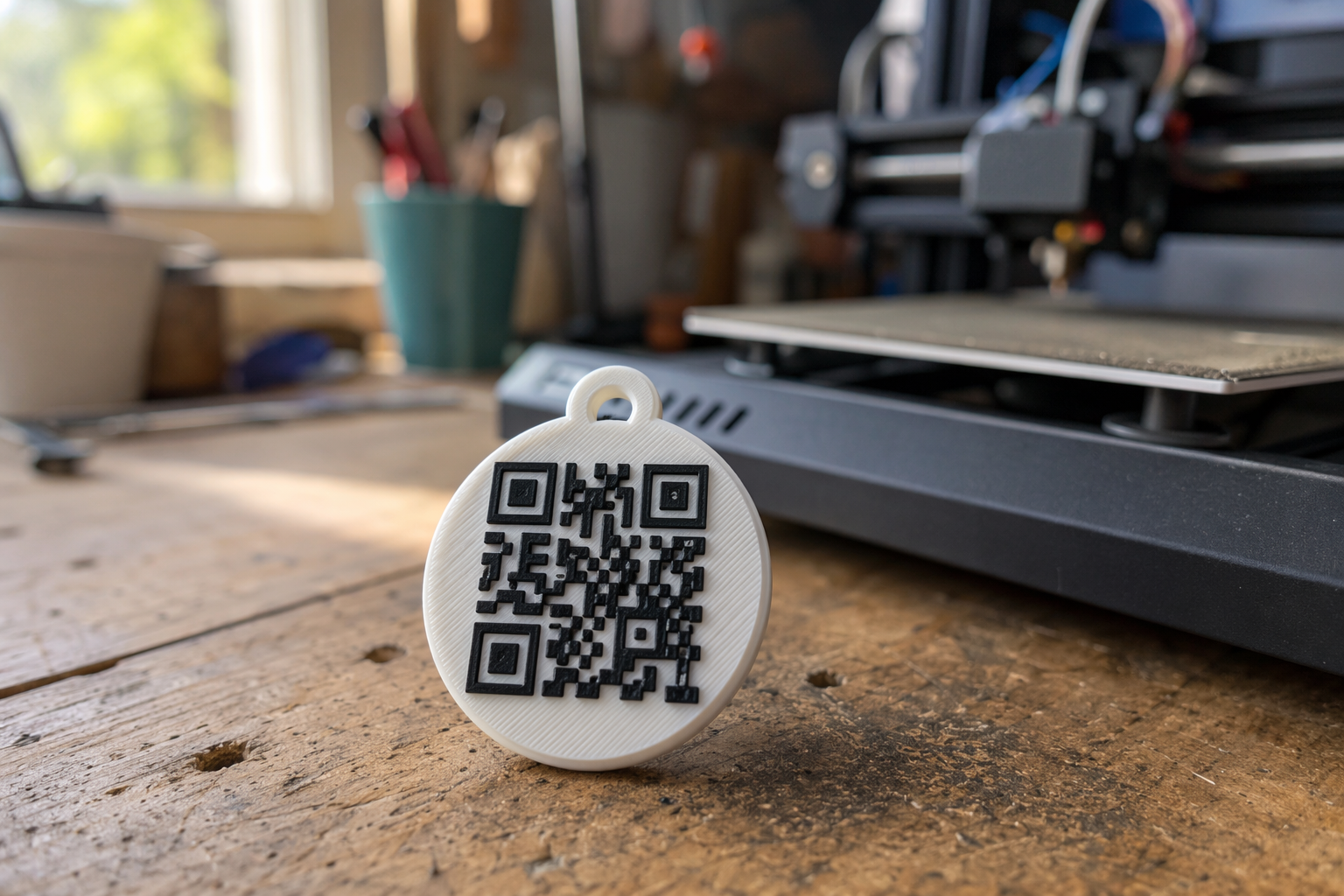
Every Tagback tag now ships as a multi-color 3MF file. The QR isn't a sticker — it's part of the print, raised in a contrasting filament, fully fused into the body. Print, attach to the collar, done. No stickers to fall off, no epoxy needed.
This is the end-to-end walk-through: where to get the 3MF, what printer settings to use, the three available shapes, and how to attach the finished tag. Total time from "Download" to "on the collar" is about 25 minutes.
Why 3MF (not STL)
STL files are single-color geometry. A QR tag is useless if you can't tell the dark squares from the light background. The 3MF format carries per-part color information — when you load the file into Bambu Studio, PrusaSlicer, or OrcaSlicer, the slicer already knows the QR pattern is one color (e.g. black) and the body is another (e.g. white). With multi-material hardware (Bambu AMS, Prusa MMU3, ERCF), the printer changes filament automatically and you get a contrasting, scannable QR baked into the print.
Single-color printer? You can still print — see the single-color guide for the paint-fill technique.
What you'll need
- A Tagback account with at least one tag created (free).
- A multi-color FDM printer — Bambu Lab A1 / X1 / P1S with AMS, Prusa MK4 / MK3.9 with MMU3, or any printer running a multi-material upgrade like ERCF / Box Turtle.
- Two spools of filament — one dark, one light. PETG strongly preferred for outdoor pets (see the filament comparison).
- A 25mm split-ring or carabiner to attach to the collar.
- About 10 grams of total filament per tag (varies by size).
Three shapes to choose from
| Variant | Size | Best for |
|---|---|---|
| Round Small | Ø28mm × 2.4mm | Cats, small dogs, jewelry-style accessory |
| Round Large | Ø38mm × 2.4mm | Medium and large dogs — most popular |
| Luggage | 40×65mm × 2.4mm, dual-sided | Suitcases, backpacks, anything that flips around |
The Round variants have a single QR on the front and a Tagback wordmark + "Scan to return" text on the back. The Luggage variant is dual-sided — QR on both faces — so it stays scannable no matter how the tag dangles from the handle.
Step 1 — Download the 3MF
Open your tag in the Tagback dashboard. Click Designer, then pick the 3D Tag mode. Choose your variant (small / large / luggage) and your two colors. You'll see a live 3D preview (rendered from the same model — GLB format — that you'd see in AR). When it looks right, hit Download 3MF.
The file is named tagback_<token>.3mf and contains every face, color, and the QR geometry pre-baked. No further editing needed in the slicer.
Step 2 — Slice it
Drop the 3MF into your slicer. Universal settings that work everywhere:
| Setting | Recommended | Why |
|---|---|---|
| Layer height | 0.2 mm | Best speed/strength balance |
| Walls | 4 | Resists chewing and impact |
| Infill | 30% gyroid | Stiff for the weight |
| Top / bottom | 5 layers each | Smooth, watertight QR surface |
| Supports | None | Model is support-free by design |
| Filament | PETG (recommended) | UV-stable, dishwasher-safe, mild flex |
| Multi-material mode | Enabled | QR uses contrast color automatically |
Slicer-specific walkthroughs: Bambu Studio, PrusaSlicer + MK4/MMU3, and a settings deep-dive.
Step 3 — Print
Print time depends on variant: Round Small ~12 min, Round Large ~18 min, Luggage ~28 min. Multi-color filament swaps add 1–4 minutes depending on your AMS or MMU.
You can batch-print 6+ tags at once on a 256×256mm bed (Bambu X1, Prusa XL) — print time roughly doubles, but the per-tag time-per-tag drops because color swaps amortize.
Step 4 — Attach to the collar
Use a 25mm round split-ring (the same ones used for engraved bone tags). Thread it through the print's 3mm hole (or 5mm for luggage) and the collar's D-ring. For cats, use a breakaway collar — Tagback tags are light enough (~2g for small, ~3.5g for large) that the breakaway clasp still triggers properly.
Step 5 — Test the scan
- Open your phone's camera (no app needed).
- Point at the QR from 10–20 cm away.
- The Tagback contact card should open in under 2 seconds.
- Try it in indoor light, sunlight, and at an angle. If a scan ever fails, the QR contrast might be too low — increase color contrast in the Designer and reprint.
Common questions
Do I need a multi-color printer?
For the best result, yes — the dual-color print gives you instant readability and durability you don't get with any sticker-based approach. But a single-color printer can still produce a scannable Tagback if you paint-fill the recessed QR with a contrasting acrylic. See the single-color guide.
How long does the print last?
PETG: 18–24 months outdoors before noticeable wear. PETG-CF: 3+ years. PLA: 6–9 months before UV brittleness shows. The QR itself doesn't fade because it's not a sticker — the contrast is plastic-against-plastic, baked in.
Can I make the back say something custom?
The Designer has a back-text field. By default it says "SCAN TO RETURN." You can change it to your pet's name, your city, or a short message. Note that for the Round Large variant, only the wordmark and scan text appear — the pet name field was removed for cleaner styling.
Want to skip the printer entirely? Order a pre-made aluminium or PETG tag from the dashboard for $4. The cost-benefit comparison is in Print at home vs buy.
FAQ
Is the 3MF really free?+
Yes. Every Tagback tag includes a free 3MF download. Print as many copies in as many colors as you want. The only thing that lives in your account is the tag's QR record — the file is yours to keep.
Why not STL?+
STL is single-color. The whole point of a QR tag is contrast — dark squares on a light background, or vice versa. 3MF stores the color information natively, so multi-material printers can run the job automatically. We also export GLB for in-browser AR preview but you wouldn't print from GLB.
Will the print look as good as a $4 ordered tag?+
Honestly, often better — you control the colors. A black-on-yellow PETG print is bold and visible. An anodised aluminium tag looks more 'professional' but the QR will not be more legible. For function: identical. For aesthetics: subjective.
What if my dog chews the tag off?+
Reprint with 5 walls and 50% infill, or use the chewer-resistant TPU 95A variant (see filament comparison). Cost: ~30 cents and 20 minutes.
Does the QR scan in sunlight?+
Yes. Because the QR is raised plastic (not an inkjet sticker), there's no UV-faded ink to misread. Sunlight contrast is actually higher than indoor — you get sharper shadows on the raised edges.
Start protecting what matters
Tagback is free, forever. No subscription. No app needed for finders.
Create your free tag